Fixed website or Dynamic URL?
Use a normal web shortcut when the destination is always the same page. Use Dynamic URL when part of the URL should change based on what you say.
That makes Dynamic URL useful for internal search pages, knowledge bases and tools such as Notion or SharePoint.
Set up a Dynamic URL action
- Create a voice command
Open Voice Commands and start a new command.
- Choose Dynamic URL
Select Dynamic URL in the Add action list.
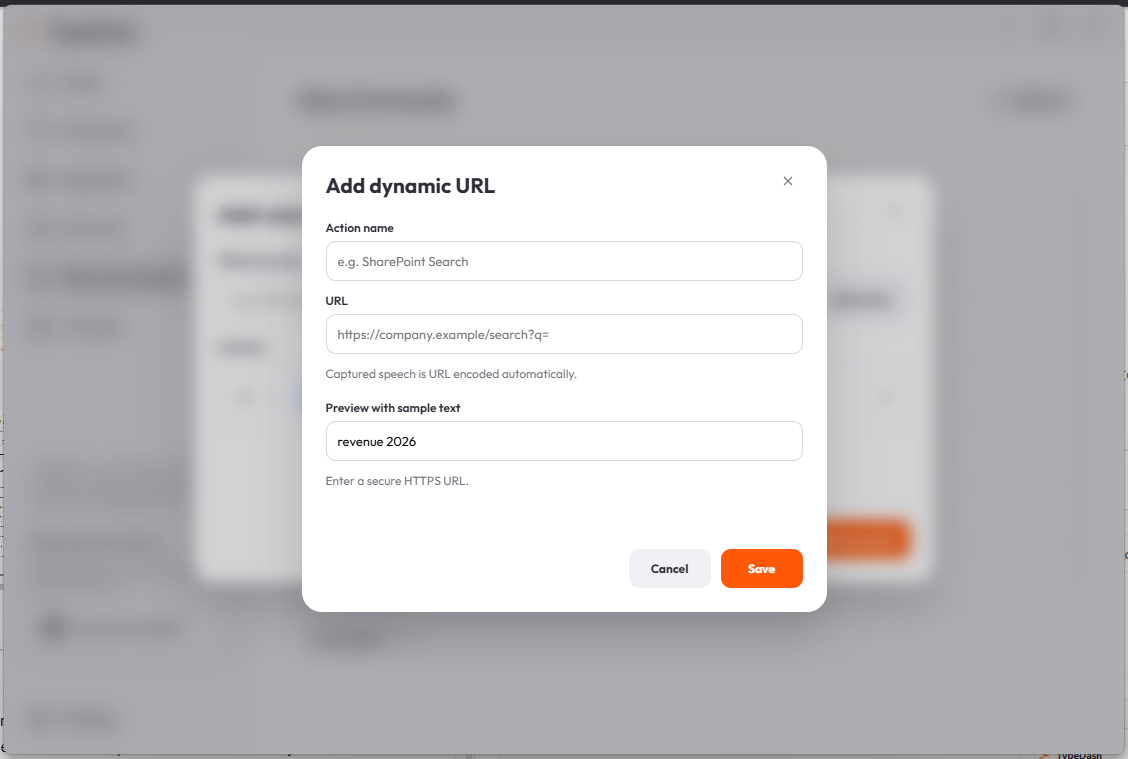
- Add the base URL
Enter the HTTPS address that should receive your captured speech.
- Preview and save
Use the sample text field to preview the result, then save the action.
Example ideas
Notion searchOpen a Notion or knowledge-base search URLSharePoint searchSearch an internal company site with captured speechFind invoiceSend spoken search text into a custom web pageThe current UI notes that captured speech is URL encoded automatically.
For a normal website
If you just want a command or shortcut that opens the same page every time, use a standard web shortcut instead of Dynamic URL. That is simpler and quicker to maintain.
Common questions
Can I use an insecure HTTP link?
The current Dynamic URL screen asks you to enter a secure HTTPS URL.
Do I need Dynamic URL for every website?
No. Use it only when part of the URL changes from one use to the next. For a fixed page, a normal web shortcut is usually better.
Keep learning
Control your computer with your voice.
Learn the key TypeDash workflows, then try them in the app.
Explore TypeDash