What built-in means
Some voice commands are already included in TypeDash. These save time because you do not need to create the workflow from scratch.
The exact list can change as the product evolves, so check the commands shown in your installed build.
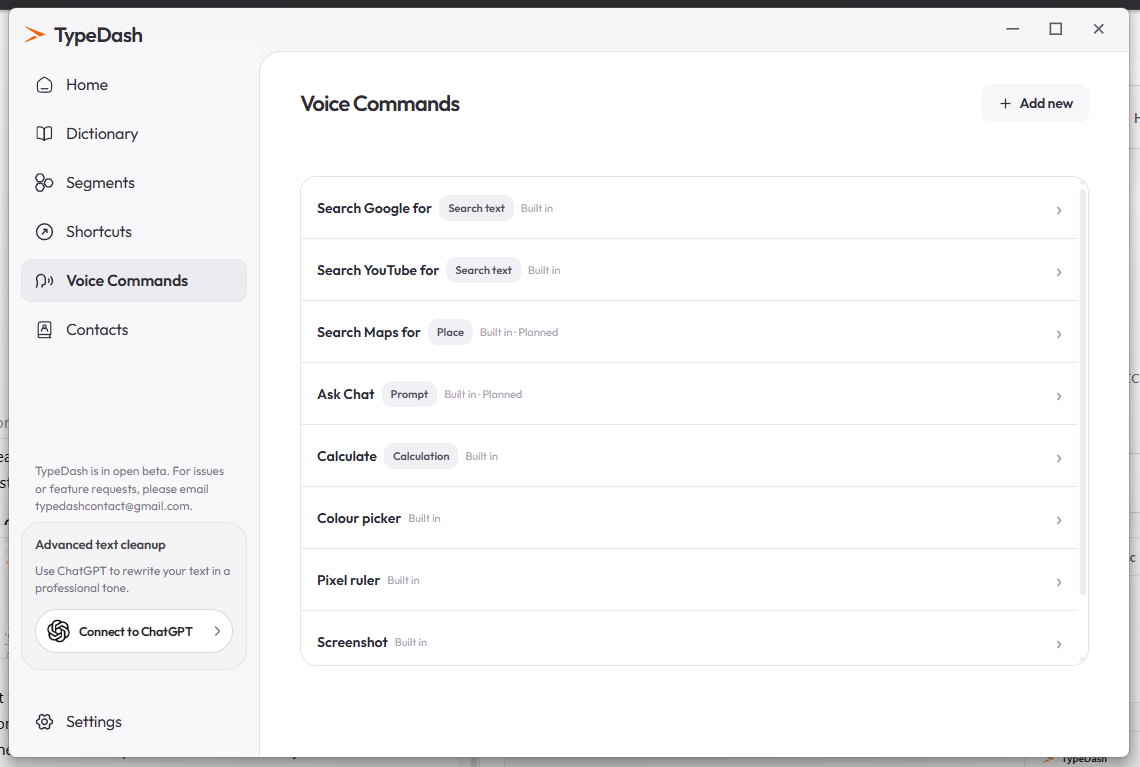
Examples in the current UI
Search Google for …Search the web using spoken textSearch YouTube for …Search YouTube using spoken textCalculate …Open the calculator flow or calculate an expressionScreenshotRun the screenshot commandThe screenshot shows that some commands are currently marked as planned.
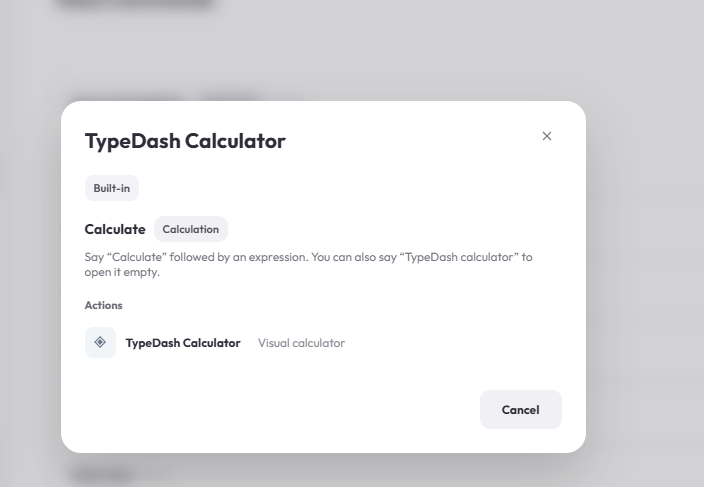
Built-in calculator example
The calculator command is one example of a built-in tool. The modal below explains that you can say Calculate followed by an expression, or say TypeDash calculator to open an empty calculator.
Best way to learn them
Read the list in the Voice Commands page and try the smallest command first. Built-in commands are a good way to learn the style of phrases that TypeDash expects.
Common questions
Do I need to recreate built-in commands manually?
Usually no. Built-in commands are already provided in the app.
Why do some commands show “Planned”?
That label indicates features that are shown in the UI but not fully available yet in the current screenshot.
Keep learning
Control your computer with your voice.
Learn the key TypeDash workflows, then try them in the app.
Explore TypeDash