Why contacts help
Contacts make name-based commands easier to manage. Instead of relying on ad-hoc text each time, you store a person once and reuse that record later.
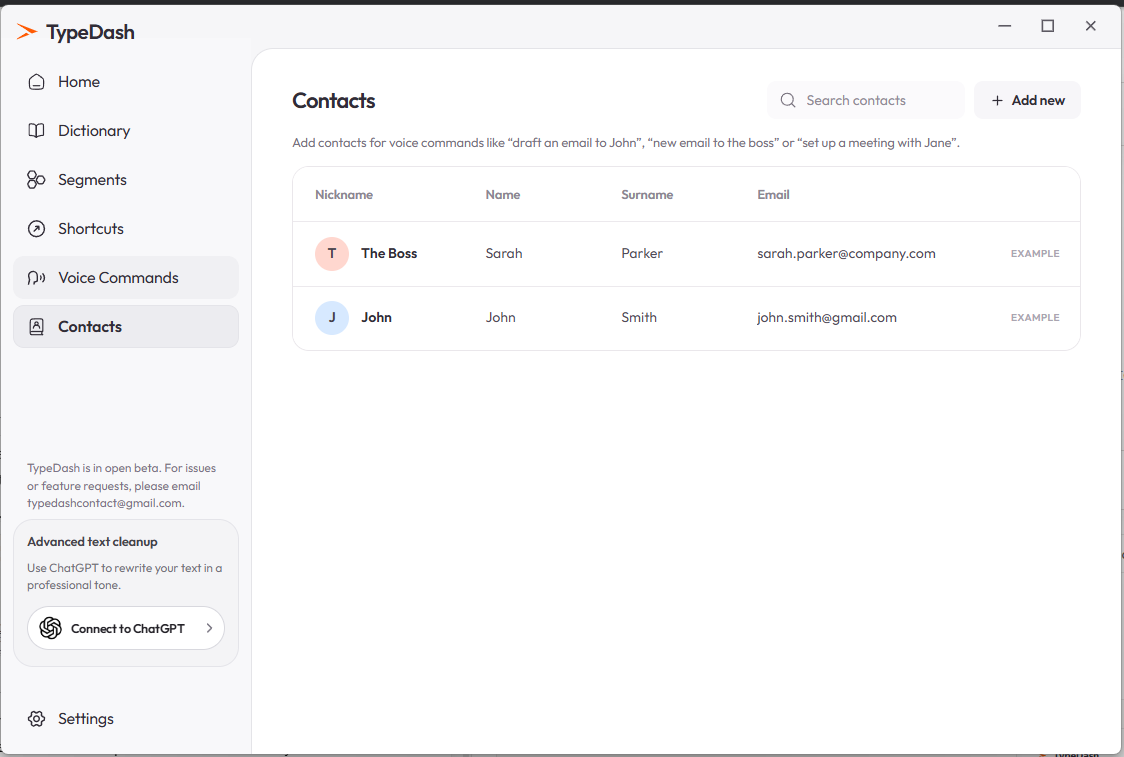
The current UI describes examples such as drafting an email to John, creating a new email to the boss or setting up a meeting with Jane.
The Contacts page
What to add
NicknameA short name such as The Boss or JohnNameThe person’s first nameSurnameThe person’s family nameEmailThe email address you want TypeDash to useUse memorable nicknames
Nicknames can make voice commands easier to say and easier to recognise.
Example uses
Once the contact exists, you can use the person in command flows that support contacts. Examples shown in the current UI include:
draft an email to JohnExample pattern for email-related voice commandsnew email to the bossExample pattern using a nicknameset up a meeting with JaneExample meeting-related phrase from the UI copyCommon questions
Do I need to add every person first?
If you want reliable name-based commands, adding the contact first is the safer approach.
Can I use a nickname instead of a full name?
Yes. The Contacts page explicitly includes a nickname field.
Keep learning
Control your computer with your voice.
Learn the key TypeDash workflows, then try them in the app.
Explore TypeDash